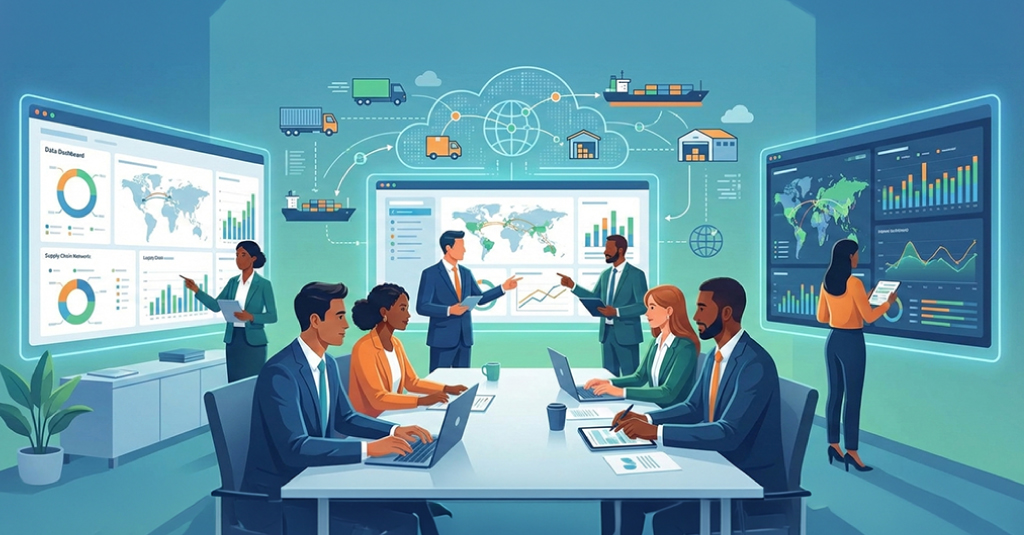





Some frontline teams are showing shorter learning access cycles than they did last year, not because workloads shifted, but because usable attention has compressed into brief, irregular windows.
Information is checked in quick pauses, often only long enough to confirm a step, which limits how much structured training fits into daily activity. This creates a persistent mismatch between typical frontline training design and the realities of deskless workforce learning.
Platform activity shows the same trend. Completions look stable, but the same materials are opened repeatedly within a shift as movement, noise, or interruptions break into continuity. The pattern is quiet, yet steady, and it signals that learning behaves differently once it enters operational space.
These signals point back to the environment. Access depends heavily on time, motion, and physical constraints, which makes it necessary to examine where frontline learning actually occurs before decisions about format or technology make sense.

Where Frontline Learning Actually Happens
The earlier patterns point to a simple reality. Learning does not occur inside systems as often as expected. It appears in brief pauses within real activity, where attention returns for a moment, and the environment decides what can be accessed.
In many frontline settings, learning sits inside constant motion. Access happens between tasks, beside equipment, or while transitioning. Noise, limited surfaces, and shifting time pressure shape what types of mobile learning or deskless workforce learning can function.
Other environments limit focus rather than access. Short operational cycles do not support longer explanations or deep navigation, so well-designed content loses clarity once it enters the workflow.
In highly mobile roles, continuity becomes a constraint. Learning breaks into fragments because movement pulls attention back into the task. This is not difficult. It is the structure of the work.
Taken together, these conditions show that frontline learning occurs in small pauses, not in the systems intended to hold it. Which naturally turns the attention to how mobile behavior aligns with these same constraints.

How Mobile Learning Behaviors Shape Deskless Workforce Training
Mobile behavior usually reflects the same environmental limits described earlier. Access happens during short windows, and the device becomes a tool for verification rather than extended learning. The rhythm of interaction tends to shift with noise, movement, and how tightly the work is sequenced.
Some consistent behaviors appear across different frontline settings:
- Mobile access tends to happen at the edge of the task, not before it. This makes the timing unpredictable and short, which limits how much detail can be absorbed in one attempt.
- Navigation depth influences whether content is used at all. When the interface requires more than a few steps, the interruption created by the workflow often pulls attention away before the material is reached.
- Short, scenario-like fragments are used more often than procedural documents. The shorter format aligns better with how people check information during active work, especially when interruptions are frequent.
- Repeated visits to the same item usually reflect the environment, not uncertainty. Movement or noise breaks continuity, so content is reopened simply to regain orientation.
These patterns show that mobile learning in a deskless workforce is shaped largely by whatever the environment allows at that moment. The content becomes secondary to timing and access. Once the limits of mobile use are clear, the structure of on-the-job training has to be reconsidered.
Why On-the-Job Training Requires a Different Design Logic
On-the-job training operates under conditions that differ from mobile access patterns, even though both are shaped by the workflow. The environment controls attention, timing, and continuity, so the instructional logic has to adjust to those constraints rather than assume stable focus.
-
The Purpose of On-the-Job Training It works as a performance anchor rather than a full learning experience. The aim is to provide enough guidance for the person to regain their place in the task. The setting is full of interruptions, so the material has to hold up when someone returns to it more than once. Before moving deeper, another structural issue becomes noticeable. Longer content formats do not settle well in these settings.
-
What Longer Content Cannot Handle: Extended explanations require uninterrupted attention, which is rarely available. Even a slight delay in the task can force the user back into the workflow before the idea is processed. Once this happens, the content becomes harder to rejoin, and accuracy declines even if the material itself is sound. This is where shorter, task-aligned inputs start to show their advantage.
-
Where Short, Task-Aligned Inputs Fit Better: Brief cues, small scenario fragments, and conditional prompts tend to hold up better in these conditions. They match the natural length of available attention and reduce the reorientation of time caused by interruptions. Their purpose is not simplification but structural fitness. Different environments, however, impose different constraints, so the instructional design cannot rely on a single pattern.
-
How Variability Shapes Instructional Decisions: Some settings interrupt every few minutes. Others stretch their focus unexpectedly. These conditions influence how long the material can be, how detailed it should be, and when it can reasonably be used. Most choices end up being practical decisions tied to the workflow, not fixed rules. The technology layer sits on top of these realities.
Once the instructional limits are clear, the choice of technology becomes easier to interpret. Tools that match these rhythms gain traction, and newer patterns for 2026 start to appear in response to these same environmental constraints.

Technology Trends Shaping Frontline Learning in 2026
Frontline access remains irregular and shaped by short operational cycles. Connectivity cannot be assumed, and attention shifts as the environment pulls users back into the task. Longer interactions rarely hold, and navigation depth becomes a barrier rather than a feature. These constraints explain why traditional learning platforms struggle to match the pace of daily operations.
With these limits in view, technology narrows its scope to fit them. Some tools deliver short, context-linked interactions rather than full modules, and others surface guidance only when the workflow triggers a need. Offline-ready components become common as access points vary across locations. Analytics adjust as well, focusing on use during the task instead of completion counts.
As these adjustments settle in, the direction for 2026 becomes more visible. Systems that allow quick retrieval, withstand interruptions, and remain functional under variable conditions tend to hold their place. This alignment forms the basis for selecting partners who can design training suited to these patterns.
Once the technology landscape takes shape, the role of a design partner becomes clearer. The value lies in how well the partner can translate these conditions into practical learning solutions, especially for frontline teams that move between mobile use and on-the-job training.

Upside Learning’s Role in Supporting Frontline and Mobile Training
Frontline environments introduce limits that most standard training systems do not account for. Access windows shift, attention is uneven, and the workflow interrupts learning without warning. Upside Learning works within those constraints, which shapes how its solutions are planned and delivered.
They offer custom eLearning solutions that align design with real workflow behavior. Their work starts by understanding where learning fits into the task and planning module structure around the moments when guidance is most likely to be used.
Duration is adjusted to match how long attention typically stays available, and interaction depth is controlled so a person can return to the content without losing orientation.
Frontline training, mobile learning, and deskless workforce learning all share the same environmental pressures. Upside Learning’s design approach accounts for these pressures directly.
Scenarios are built to reflect the timing of real tasks rather than ideal workflows.
- Content can be opened and reopened throughout a shift without requiring a full restart or extensive reorientation.
- Offline or low-bandwidth access is supported where connectivity changes from one location to another.
- Modules are simplified in movement-heavy roles, reducing friction caused by constant task switching.
- The intent is to create materials that function inside the actual work setting, not just inside a platform.
With the design partner’s role clarified, the next step is understanding how content itself is structured, so it fits the day-to-day demands of frontline work, where timing and usability influence whether training holds up in practice.

Designing Content That Fits Frontline Realities
Designing content for frontline use means working within the constraints, not around them. Attention appears in short intervals, and the workflow decides how long someone can stay with the material before being pulled back into the task.
Content needs to settle quickly. If it takes too long to frame its purpose, it risks being abandoned when the task resumes. Materials that can be understood almost immediately tend to hold up better in these conditions.
Interruptions shape structure as well. When a screen is opened and closed throughout the task cycle, the user has to re-enter without losing context. Short scenarios and compact decision paths manage this more reliably than longer explanations.
The physical environment adds its own limits. Movement, noise, and limited space push the design toward simpler layouts, concise framing, and minimal navigation. The intent is stability under shifting conditions, not reduction for its own sake.
Training and performance support often overlap in these settings. A reference item may be used repeatedly, while a scenario appears only once but at the right moment. What matters is how easily the material fits the workflow.
As these design considerations become clearer, the responsibilities of L&D teams shift toward closer alignment with everyday operational patterns.

How L&D Teams Are Evolving in Frontline Ecosystems
As frontline training aligns more closely with workflow conditions, L&D teams shift their focus toward operational patterns. Decisions rely less on content plans and more on how access, timing, and interruptions shape use.
Coordination with supervisors and system teams becomes central, since they see where learning fits during the task. Measurement changes, too, moving from completion to understanding when guidance is actually used.
The role gradually leans toward enabling performance within the workflow rather than producing standalone courses, a shift driven by the realities of frontline environments.

Where Frontline Learning Continues to Move
Frontline learning keeps moving toward shorter interactions shaped by whatever the workflow allows at that moment. The patterns are uneven, but they repeat often enough to guide design decisions and the tools built around them.
Many organizations are still working through smaller shifts, usually tied to what they can change without interrupting the workday. Movement continues, even if the speed varies across different environments.
If you would like to discuss how these patterns apply within your environment, you can get in touch with Upside Learning to review the details and see what tends to work in similar conditions.
FAQs: Custom vs. Off-the-Shelf eLearning
If your workflows, tools, or brand vibe are one-of-a-kind- or if behavior change matters- custom’s your cheat code.
Yep, upfront it’s lighter on the wallet. But for long-term wins and role-specific skills? Custom flexes harder ROI.
For sure. Start with off-the-shelf for the basics, then sprinkle in custom modules where it really counts.
Depends on how ambitious you get- usually weeks to months. Planning ahead keeps you from sweating deadlines.
For general topics, yeah. For real-life scenarios or changing habits? Engagement can ghost you.
Totally. You own the content, so edits, tweaks, or upgrades? All yours.
Custom can adapt paths, toss in interactive exercises, and mix multimedia to match every brain type.
Mostly basic stuff- completion rates, quiz scores. Custom digs deeper: behavior, skill gaps, all the good analytics.
Quick wins? Off-the-shelf. Lasting change? Custom. Pick your lane- or flex both.
Yep. They make it seamless- fast deployment, tailored experiences, or a mashup.

Pick Smart, Train Better
Picking off-the-shelf or custom eLearning? Don’t stress. It’s really about your team, your goals, and the impact you want. Quick wins? Off-the-shelf has you covered. Role-specific skills or behavior change? Custom eLearning is your move.
Upside Learning makes both options effortless. Whether it’s ready-to-roll courses or fully tailored experiences, we handle the heavy lifting- interactive modules, adaptive paths, branded visuals, and analytics that tell you something. No wasted time, no generic content- just learning that sticks.
Ready to level up your team’s learning game? Connect with Upside Learning today and see how we make training fast, engaging, and results-driven. Your team deserves training that works- and we deliver.